Whole-Class Reading Minutes Goal Poster and Tracker
The easiest way to run a class reading goal is to pick one big minutes number for the whole room, split it into 100 squares on a poster, and color in a square every time the class adds that many minutes. Each student keeps a simple minutes log, a helper adds the totals once a day, and the poster on the wall shows everyone how close you are. You can print both pieces, the student logs and the goal poster, with the free reading log maker on our homepage.
A shared goal works because nobody reads alone. The quick reader and the kid who is still building stamina both push the same squares forward, and the class celebrates together instead of comparing names on a chart. This guide walks you through choosing a number that's actually reachable, setting up the poster and logs, running the daily count in under five minutes, and keeping the energy up until the last square is filled.
▶ Open this reading log ready to print
Why a Whole-Class Goal Beats a Leaderboard
Plenty of classrooms track reading with a list of names and a row of stickers. It looks motivating, but it often isn't. The same three readers race to the top, and the kids at the bottom quietly decide reading is a contest they've already lost.
A whole-class goal flips that around. Every minute counts toward one shared number, so a student who reads ten minutes a night is helping the team just as much as the student who reads forty. Nobody's total is posted for the class to see. What goes on the wall is the class total, and it only ever goes up.
Here's how the two setups compare in practice.
| Individual leaderboard | Whole-class goal poster | |
|---|---|---|
| What's on the wall | Each student's name and total | One class total and colored squares |
| Who feels successful | The top few readers | Everyone who adds any minutes |
| Effect on slower readers | Can feel public and discouraging | Their minutes visibly count |
| Effect on fast readers | Rewards racing, sometimes skimming | Rewards steady reading and helping others |
| Celebration | One winner | The whole class, together |
| Teacher workload | Updating many names | Adding one number a day |
You can still keep individual logs, and you should. Those stay private between the student, the family and you. The poster is the public part, and it's about the group.
If you're weighing different classroom logging systems in general, the guide to reading log tips for teachers covers routines for collecting and checking logs without drowning in paper.
Step 1: Choose a Class Reading Goal You Can Actually Reach
The number matters more than anything else. Too small and the class finishes in a week and shrugs. Too big and the poster sits half-empty for months while everyone stops caring.
The simplest way to land on a good number is to do the math from what your students already read. Start with three questions:
- How many students are in the class? Use the real number, not the roster you hope for.
- How many minutes does a typical student read on a school day? Count in-class independent reading plus a realistic guess at home reading. Be honest. If your homework expectation is 20 minutes but half the class logs 10, use something in between.
- How many school days will the goal run? Two weeks, a month, a grading period or a whole semester.
Multiply those together and you have your expected total. Then set the goal a little above it, roughly 10 to 20 percent higher, so the class has to stretch but can still win.
Sample class reading goals by class size
The table below assumes students log about 15 minutes per school day on average, which is a modest, realistic number for many elementary classes once you mix in kids who read more and kids who read less. Swap in your own average if it's different.
| Class size | Minutes per week (5 days) | 4-week total | Suggested 4-week goal | Each of 100 squares equals |
|---|---|---|---|---|
| 18 students | 1,350 | 5,400 | 6,000 minutes | 60 minutes |
| 22 students | 1,650 | 6,600 | 7,500 minutes | 75 minutes |
| 25 students | 1,875 | 7,500 | 8,000 minutes | 80 minutes |
| 28 students | 2,100 | 8,400 | 10,000 minutes | 100 minutes |
| 32 students | 2,400 | 9,600 | 10,000 minutes | 100 minutes |
Round numbers are easier for kids to follow. A goal of 10,000 minutes with 100 squares means every square is exactly 100 minutes, and even younger students can track that.
Pick a goal length that fits your class
Shorter runs keep energy high. Longer runs build a habit. Here's a rough guide:
- Two weeks: Great for a kickoff, a read-a-thon week, or a class that's new to logging. Use the 25-square or 50-square tracker so progress shows quickly.
- One month: The sweet spot for most classrooms. Long enough to matter, short enough that kids remember the start.
- A grading period: Good for upper elementary and middle school students who can handle a longer arc. Plan a mini celebration at the halfway mark.
- A full semester: Only if you're ready to refresh the poster and talk it up every week. Break it into monthly chunks with their own small goals.
If you're not sure what a reasonable daily amount looks like for your grade, the article on how many minutes kids should read per day gives practical ranges by age that you can use as your starting average.
Minutes, pages or books?
This article is built around minutes, and there's a good reason. Minutes are fair. A first grader reading a short picture book and a fifth grader reading a thick chapter book can both log 15 minutes, and both minutes are worth the same on the poster. Pages and books reward faster readers and longer or shorter books, which brings the leaderboard problem right back.
Minutes also handle the kids who reread a favorite, listen to an audiobook during a sick day, or read a magazine at the dentist's office. All of that is reading time, and all of it can count. If you want a log built only around minutes, the Minutes setting in the tool handles that.
Step 2: Decide What a Square Means
Once you have a goal, divide it by the number of squares on your poster. The free tool's goal-tracker bar gives you 10, 25, 50 or 100 squares to choose from, so you can match the size to your class and your timeline.
| Squares | Best for | Example goal | One square equals |
|---|---|---|---|
| 10 | Kindergarten, very short goals, a single read-a-thon day | 1,000 minutes | 100 minutes |
| 25 | Two-week goals, younger grades | 2,500 minutes | 100 minutes |
| 50 | One-month goals, small classes | 5,000 minutes | 100 minutes |
| 100 | One-month or longer goals, larger classes | 10,000 minutes | 100 minutes |
A few tips that save headaches later:
- Keep the square value a round number. 50, 60, 75 or 100 minutes per square is easy. 87 minutes per square means a calculator every afternoon.
- Younger students need visible progress. With kindergarten or first grade, you want a square or two filled every single day. If your class adds 300 minutes a day and each square is 100 minutes, that's three squares daily, which feels great. If each square is 500 minutes, they'll wait two days for one square and lose interest.
- Older students can handle bigger squares. Fourth and fifth graders often enjoy doing the division themselves and can wait a bit longer between squares.
- Write the square value on the poster. A line like "1 square = 100 minutes" near the title saves a lot of repeated questions.
What to do with leftover minutes
Some days the class will add 340 minutes when a square is 100. Color three squares and carry the extra 40 forward. Write the carry-over on a sticky note next to the poster, or keep it in a small box at the bottom of the tally sheet. The next day, start counting from 40 instead of zero.
This is also a quiet little math lesson. Students learn regrouping and remainders without anyone calling it a worksheet.
Step 3: Make the Logs and the Poster in the Free Tool
You need two printouts: one goal poster for the wall, and a minutes log for each student. Both come from the free printable reading log maker. The tool doesn't open pre-filled from a link, so use the settings below each time.
The class goal poster
The poster is just one log page with a big goal and a big tracker bar. Set it up like this:
- Start with a preset: Choose Classroom.
- Reader name: Type your class name, such as "Room 14 Readers" or "Ms. Rivera's Class."
- Reading goal: Type the full goal with its square value, for example "10,000 minutes together (1 square = 100 minutes)."
- Log style: Pick Kid-friendly for elementary grades or Adult-clean for middle school if your students think cartoon touches are too young for them.
- What are you logging?: Choose Minutes.
- Goal-tracker bar: Pick 100 squares for a big goal, or 25 or 50 for shorter runs.
- Challenge bar: Turn it on if you want a second visual, such as a weekly mini-goal.
- Color theme: Sunshine or Sky read well from across a room. Classic works best if you're printing in black and white.
- Paper: Choose Letter or A4 to match your printer, and Landscape if you want a wider tracker bar.
- Rows per page: Set this low. You're not filling the rows on the poster, so fewer rows means more room for the tracker. You can use the rows for weekly class totals instead.
- Click 🖨️ Print / Save PDF.
Want it bigger? Save it as a PDF and print it at a larger size at a copy shop or on your school's poster printer if you have one. Or print the page as-is, mount it on colored construction paper, and hang it at student eye level.
The student minutes log
Each student gets their own log. These stay in folders or go home with homework.
- Start with a preset: Choose Classroom again, or Kids for the youngest grades.
- Reader name: Leave it blank so students write their own names, or fill in each name if you want to print personalized copies.
- Reading goal: Write the class goal here too, such as "Helping Room 14 reach 10,000 minutes." It reminds kids that their minutes go somewhere.
- Log style: Kid-friendly.
- What are you logging?: Minutes.
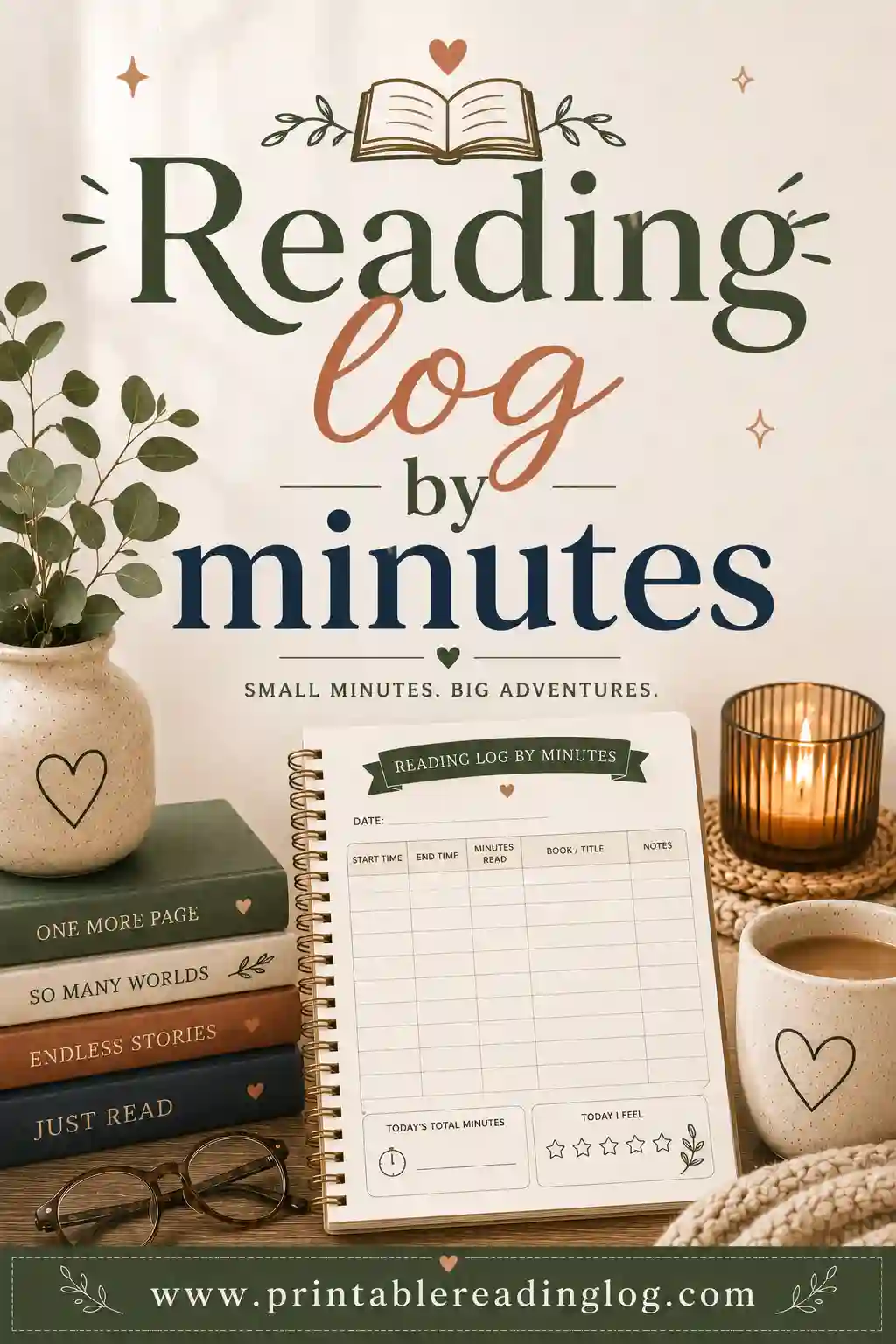
- Columns: Turn on Date finished (to record the day), Title, Pages/Minutes, and Initials (P/T) so a parent or teacher can initial each entry. Turn off Star rating, Genre and Recommend? (Y/N) for younger students to keep the page simple. Older students can keep Star rating on if they enjoy it.
- Rating style: Smiley for K through 2, Stars for older kids, if you keep ratings at all.
- Rows per page: Enough for one row per day of the goal period. A four-week goal with home reading on weekends might need about 28 rows, so you may want two pages.
- Month: Fill in the month the goal runs.
- Coloring strip: Keep it on for younger kids. It gives early finishers something calm to do.
- Goal-tracker bar: Optional on the student copy. Some teachers like each child to have a personal 10-square bar where each square is a small personal milestone, such as 30 minutes. It's private and gives kids something to color at home.
- Click 🖨️ Print / Save PDF.
If you'd like a ready-made starting point that's already built for students, the kids reading log and the classroom reading log pages show layouts that pair well with a class poster.
A weekly tally sheet for you
You'll also want somewhere to write the daily class totals. Make one more page in the tool with Weekly log as the preset, Minutes as the logging type, and your class name as the reader. Use the rows for each day and the Notes column for things like "field trip, no in-class reading" or "assembly day." That paper becomes your record if anyone asks how the class reached its goal.
Step 4: Run the Daily Count in Five Minutes
The poster only works if it moves. A daily count, done at the same time each day, keeps it moving. Here's a routine that fits into the last few minutes of morning meeting or the first few minutes after lunch.
The five-minute routine
- Collect. Students take out their logs and look at yesterday's row. Anyone who forgot to fill it in gets one minute to add it now, with a parent's initials to follow if that's your rule.
- Add by table. Each table group adds its members' minutes on a sticky note or a small whiteboard. Four to six students per table keeps the math manageable.
- Report. One student from each table reads the table total out loud. The class counter writes the numbers on the board.
- Total. The class counter (or the whole class, as a quick mental math round) adds the table totals together.
- Color. The poster helper colors in the right number of squares and writes any carry-over on the sticky note.
That's it. Once students know the routine, it really does take about five minutes, and it often turns into the favorite job of the day.
Classroom jobs for the goal
Rotating these jobs weekly gives more students ownership:
| Job | What they do | Good for |
|---|---|---|
| Class counter | Adds the table totals and announces the class total | Students who like math |
| Poster helper | Colors in squares and updates the carry-over note | Careful, neat workers |
| Log checker | Reminds tables to fill in yesterday's row | Organized students |
| Goal reporter | Announces how many squares are left and how many days remain | Confident speakers |
| Celebration planner | Helps choose the reward when a milestone is hit | Creative thinkers |
Keep individual totals private
This is the most important rule of the whole system. When tables add their minutes, they report one number for the table, not each child's number. The logs themselves stay in folders. If a student wants to share that they read for an hour on Saturday, that's lovely and it's their choice. Nobody else's totals get read out loud.
A few students will always have harder home situations, less access to books, or a lot going on after school. A shared poster lets them contribute without being singled out. In-class independent reading time counts too, so every child adds minutes every day, no matter what happens at home.
What counts as reading minutes?
Decide this up front and post it near the poster. A simple list helps:
- Reading a book on your own, silently or out loud
- Being read to by a family member, a sibling or a teacher
- Reading with a buddy or a younger sibling
- Listening to an audiobook while following along, or just listening, if your class agrees
- Reading magazines, comics, graphic novels, recipes, instructions or nonfiction articles
- Rereading a favorite
What usually doesn't count: watching a movie of the book, playing a game with a little text in it, or scrolling. Your class can decide the edge cases together, which makes a nice discussion in its own right.
For read-aloud time specifically, families often wonder how to log it. The simplest answer: write the minutes on the child's log and let the reader add their initials.
Step 5: Add Milestones So the Middle Doesn't Sag
Every long goal has a slump in the middle. The first few days are exciting, the last few days are exciting, and the stretch in between can feel endless. Milestones fix that.
Mark small celebration points right on the poster with a star or a sticker before you hang it up. Kids can see the next one coming.
Milestone ideas for a 100-square poster
| Squares filled | Milestone | Celebration idea |
|---|---|---|
| 10 | First tenth | A cheer and a class photo by the poster |
| 25 | Quarter way | Read outside or in a different spot for the day |
| 40 | Almost halfway | Teacher reads an extra chapter aloud |
| 50 | Halfway | Pajama reading afternoon or flashlight reading |
| 65 | Two thirds | Students pick the next class read-aloud |
| 75 | Three quarters | Reading time with a buddy class |
| 90 | Final stretch | Countdown on the board for the last 10 squares |
| 100 | Goal reached | Class book party, certificates, or a special read-in |
None of these rewards cost anything or involve food, which keeps things simple with school rules and allergies. If you'd like more ideas in that spirit, the list of reading incentive ideas has plenty of low-cost options.
Mini goals inside the big goal
Some weeks need an extra push. A short mini goal inside the bigger one can help:
- Weekend boost: "Can we fill 8 squares from Friday to Monday?"
- Read-a-thon day: Everyone brings a pillow and the class tries to fill 5 squares in one school day.
- Family minutes week: Minutes read with a parent, grandparent or sibling earn a bonus toward a mini goal (but count normally on the main poster, so the math stays honest).
- New genre week: Minutes count toward the mini goal only if the book is from a genre the reader hasn't tried yet this year.
Use the tool's Challenge bar on the poster if you want a second track for these mini goals. Keep it to one mini goal at a time so the poster doesn't get confusing.
Poster Themes That Make Coloring In More Fun
The free tool prints a clean tracker bar, and that alone works great. But many teachers like to build a theme around it. You can print the tracker, cut it out and mount it on a bigger background, or draw the theme around it on chart paper.
Here are themes that tie the squares to a picture:
- Climb the mountain: Draw a mountain on chart paper and run the tracker bar up the side. Every square is a step closer to the flag at the top.
- Rocket launch: The squares are fuel. When they're all colored in, the rocket launches, and the class has a "launch party."
- Road trip: Draw a road with stops at each milestone, such as a beach at 25 squares or a national park at 50. Students vote on the stops.
- Fill the bookshelf: Each square is a book spine on a shelf. The goal is a full bookcase.
- Grow a garden: Squares are flowers that bloom as minutes come in.
- Build a tower: Squares are bricks. Older students like guessing how tall the tower would really be.
- Race to the moon: For a space unit, each square is a stretch of the trip from Earth to the moon.
- Seasonal themes: Leaves on a tree in fall, snowflakes in winter, raindrops in spring, waves at the beach before summer break.
Let students color the squares with a color assigned to that week, or let each table pick a color for the days its members are poster helpers. By the end, you get a colorful record of how the goal unfolded.
If your class loves the wall display side of things, let students vote on next month's theme.
Bring Families Into the Class Reading Goal
Home reading usually makes up a big share of the minutes, so families need to know about the goal. A short note on day one makes a real difference.
A sample family note
You can copy and adapt this message for a newsletter, a class app or a printed letter:
Our class is working toward a shared reading goal: 10,000 minutes together by the end of the month! Every minute your child reads at home helps the class fill in our goal poster. Please help your child write down the date, what they read, and how many minutes on their reading log, and add your initials. Reading to your child, listening to an audiobook together, and reading magazines or comics all count. There's no competition between students. We're all on the same team. Thank you for reading with us!
Keep the note short. Families get a lot of paper.
Ways families can help without extra work
- Read during routines they already have. Bath time, bedtime, the car pickup line, or a sibling's practice.
- Count read-alouds. Reading a picture book to a younger child or listening to an older child read both count.
- Share the poster. Snap a photo of the poster each Friday and share it in your class newsletter so families can see progress.
- Invite a guest reader. Family members can come in, or join a video call if your school allows it, to read aloud to the class. Every student listening logs those minutes.
Families who want to keep reading going after the class goal ends can print their own log at home with the same free reading log maker.
Adjust by Grade and Fix Common Problems
The same poster works from kindergarten through middle school, but the details change a lot. Use these setups as a starting point.
Setups by grade level
| Grade band | Goal length | Squares | Student log columns | Who logs |
|---|---|---|---|---|
| Kindergarten | 1 to 2 weeks | 10 or 25 | Date finished, Title, Pages/Minutes, Initials (P/T) | Parent writes, child colors a box |
| Grades 1 to 2 | 2 to 4 weeks | 25 or 50 | Date finished, Title, Pages/Minutes, Initials (P/T), Smiley rating | Child writes with parent help |
| Grades 3 to 5 | 4 weeks or a grading period | 50 or 100 | Date finished, Title, Author, Pages/Minutes, Initials (P/T), Stars | Child writes, parent initials |
| Grades 6 to 8 | A grading period or semester | 100 | Date finished, Title, Author, Pages/Minutes, Genre, Notes | Student logs on their own |
Kindergarten and pre-readers. Keep the goal very short and the squares very small. A class of 20 kindergarteners read to for 10 minutes a night adds 200 minutes, so a 10-square bar at 100 minutes a square fills in five days. That fast win is exactly what this age needs. Picture-book read-alouds count, and you can let children color their own personal box on their log each night.
Grades 1 and 2. Children can start writing their own minutes with help. Teach them to look at a clock at the start and the end, or use a simple kitchen timer at home. The Smiley rating style is a fun extra, not a requirement.
Grades 3 to 5. This is where the class goal really shines. Students can do the daily math themselves, track carry-over, and even predict when the class will finish. Try a weekly "prediction" where each table guesses the finish date, and update it on Fridays.
Middle school. Older students may roll their eyes at coloring squares, so lean into the data side instead. Use the Adult-clean log style, a Classic or Sky theme, and let the class decide the theme of the poster. A few classes in the same grade can each run a poster and compare the class totals, as long as individual totals stay private.
Troubleshooting the class goal
| Problem | Likely cause | What to try |
|---|---|---|
| The poster barely moves | Goal set too high or squares too big | Shrink the square value and recolor in a new color, or reset the goal at a midpoint |
| The class finished in a week | Goal set too low | Celebrate, then announce a "level two" goal with a new poster |
| A few students log huge numbers | Guessing, padding or real enthusiasm | Ask for a parent's initials on each row and set a sensible daily cap for the poster, such as 60 minutes |
| Logs come back blank | Logs lost or forgotten at home | Keep logs in a folder that stays at school and add an "in-class minutes" row each day |
| Kids lose interest midway | No milestones in sight | Add a milestone in the next 5 to 10 squares and a mini goal for the week |
| Families aren't joining in | Missed the first note | Send a short reminder with a photo of the poster |
| Too much daily math | Adding every student by hand | Switch to table totals, or have the class counter use a calculator |
| A student feels left out | Low home reading | Give extra in-class reading time and make sure their minutes are visibly counted |
A note on daily caps. A cap isn't about distrust. It just keeps one extremely long weekend from swallowing the whole goal. If a student reads three hours on Sunday, celebrate it with them privately, write it on their log, and count up to the cap on the poster. Most classes find a cap of 45 or 60 minutes a day feels fair to everyone.
A note on honesty. Some kids will be tempted to round up. Parent initials help, but the bigger fix is the class culture. When the goal belongs to everyone and nobody is ranked, there's less reason to fudge the numbers. If you notice a pattern, have a quiet one-on-one chat rather than a public correction.
Absences, holidays and short weeks
Real school calendars are full of interruptions. Plan for them so the goal still feels reachable.
- Long weekends and breaks. Either pause the goal (and say so on the poster) or count break reading at home. A "holiday bonus" mini goal can keep kids reading over a break.
- Absent students. Their home minutes still count when they return. Have them hand their log to the class counter and add their minutes to the next day's total.
- Assemblies and testing days. These cut into in-class reading time. Note them on your weekly tally sheet so you know why a day came in low.
- New students. Give them a log on their first day and welcome them to the team. Their minutes start counting right away.
When the last square is colored
Finishing a class reading goal is a big moment, so make it feel big. Count down the last ten squares out loud. Let the whole class color the final square together, maybe with every student adding a tiny dot of color. Take a photo of the class with the finished poster and send it home.
Then talk about it. Ask the class what helped them reach the goal, what was hard, and what they'd change next time. Students often have smart ideas, like a bigger milestone at halfway or a different theme. Write their ideas down for the next poster.
Many teachers keep the goal going all year with a new poster each month or each grading period, so the class can see a whole row of finished posters along the wall by spring. Others switch to a different challenge, like a genre goal or a buddy reading goal, and come back to minutes later in the year.
Ready to start? Open the free reading log maker, choose the Classroom preset, set Minutes as what you're logging, pick your 100-square goal tracker, and print your poster and student logs in a few minutes.
▶ Open this reading log ready to print
Frequently Asked Questions
What is a good class reading goal for one month?
Multiply your class size by a realistic daily average of minutes and by the number of school days, then add 10 to 20 percent. For a class of 25 reading about 15 minutes a day for 20 school days, that's 7,500 minutes, so a goal of 8,000 minutes is a good stretch.
Should a class reading goal track minutes, pages or books?
Minutes are usually the fairest choice for a whole class. They give equal credit to every reader, whatever their level or book length. Pages and books tend to reward the fastest readers and can bring back the competition you're trying to avoid.
How do I make a classroom minutes chart with the free tool?
Choose the Classroom preset, type your class name as the reader, set Minutes as what you're logging, and pick a goal-tracker bar with 10, 25, 50 or 100 squares. Write the goal and what one square equals in the reading goal box, then print or save it as a PDF.
How often should we update the reading poster?
Daily works best for younger grades, because they need to see progress often. Older classes can update two or three times a week, or every Friday, if daily counts take too much time. Pick a schedule and stick with it so students know when to expect the next squares.
Should individual students' minutes be posted?
It's best to keep individual totals private and post only the class total. That way, every student can contribute without feeling ranked. Students can still see their own progress on their personal logs.
Do audiobooks and read-alouds count toward the class goal?
Most teachers count them, and it's a good idea to decide as a class before you start. Being read to and listening to an audiobook are both real reading experiences, especially for younger and struggling readers.
What rewards work for a class reading challenge?
Experiences work well and don't cost anything: pajama reading day, reading outside, extra read-aloud time, a buddy class visit or a special read-in. Spread smaller rewards across milestones so the class has something to look forward to all the way through.
What if my class doesn't reach the goal?
Talk about it honestly and kindly. Celebrate how many minutes the class did read, look at what made it hard, and set the next goal a bit lower or longer. The point is building a reading habit, not winning a single round.