Teen Reads Only on a Phone: Does E-Book Reading Count in the Log?
Yes, reading an e-book on a phone counts in a reading log, because the words, the story and the effort are the same as in a paper book. What matters is that your teen is actually reading a book, not scrolling, so the fix is to log minutes plus a quick format code (P for print, E for e-book, A for audio) and let the log show the mix.
You can set that up in a couple of minutes with the free printable reading log maker on this site. Pick the High school preset, track minutes, and use the Notes column for the format letter. The rest of this guide covers how to tell real reading from phone time, what to say to a teacher who's unsure, exact settings for the log, and how to handle the tricky cases (fan fiction, web novels, serial apps, and the "I read for an hour" claim at 11 p.m.).
▶ Open this reading log ready to print
Short Answer: Does Reading on a Phone Count?
For almost every school and home reading log, the honest answer is yes. A reading log exists to build a habit and to show that time was spent reading connected text. A novel on a phone screen is still a novel. The teen still follows the plot, meets new vocabulary, holds characters in their head and turns pages, just with a swipe instead of a finger and paper.
That said, three things can make a parent or teacher hesitate:
- The device does other things. The same phone holds messages, videos and games, so it's hard to see from across the room whether your teen is reading or chatting.
- The assignment may have rules. Some teachers ask for a specific book, a specific edition with page numbers, or annotations that are easier on paper.
- The reading material varies a lot. A full-length novel and a string of social media captions are not the same thing, even though both are "reading on a phone."
None of these mean e-books don't count. They mean you need a log that answers the questions people really have: What was read? For how long? In what format? Was it a book?
When to check with the teacher first
If the log is for a class, it's the teacher's call. Most teachers are happy with any format as long as the book fits the assignment, but a quick message saves a lot of back-and-forth later. Ask these three questions:
- Does reading on a phone or tablet count toward the minutes?
- Do you need page numbers, or are minutes or percent complete fine?
- Is there a required book list, or can the student choose?
If the answer to the first question is no for a specific assignment (for example, a class novel that will be annotated in print), follow it for that book and use the e-book format for free-choice reading.
What Counts as Reading on a Phone (and What Doesn't)
This is the part that clears up most arguments at home. Instead of "phone reading" as one big category, sort it into what usually counts, what's a judgment call, and what doesn't belong on a reading log.
| Type of phone reading | Usually counts? | Notes for the log |
|---|---|---|
| Novel or nonfiction book in an e-book app | Yes | Log title, minutes, and E in Notes |
| Library e-book borrowed through a library app | Yes | Same as above; note the due date if the loan is short |
| Audiobook through earbuds | Usually, but ask | Log with A so it's visible; some teachers count listening separately |
| Graphic novel or manga in digital form | Usually | Counts as a book; a teacher may set a minimum number of text-heavy books |
| Long-form web novel or serial fiction | Judgment call | Counts if it's a sustained story read for 15+ minutes at a time |
| Fan fiction | Judgment call | Many families count longer works; check with the teacher for school logs |
| Articles, long news features, essays | Judgment call | Good reading, but often logged separately from "book" minutes |
| Class textbook or assigned PDF | Depends | Many teachers want this kept apart from free-choice reading |
| Social media posts and captions | No | Not connected reading for a reading log |
| Group chats, comments, forums | No | Lots of words, but not the kind a log measures |
| Video with subtitles | No | Watching, not reading a text |
The simple rule your teen can remember: if it has a title, a beginning, and pages or chapters you move through in order, it can go on the log. If it's a feed, a chat or a video, it doesn't.
The judgment calls, explained
Web novels and serial fiction. Many teens read stories published chapter by chapter in apps or on websites. Some of these are long and well written; some are short and repetitive. A fair family rule is that a serial story counts if your teen reads it in a sitting of 15 minutes or more and can tell you what happened. You can log it with the story's title and "serial" in the Notes column.
Fan fiction. Fan fiction can be thousands of words of sustained narrative, and plenty of young writers learned to love reading through it. For a home log, it's reasonable to count longer works. For a school log, ask. Some teachers welcome it for free reading; others want published books only. Either way, keep the log honest by writing it as fan fiction rather than slipping it in as a novel.
Articles and nonfiction pieces. A 30-minute deep read of a long feature is real reading. The trouble is that it's hard to separate from casual browsing. If your teen likes long articles, give them their own line or a separate weekly total so they don't crowd out book reading.
Audiobooks. Listening builds vocabulary, comprehension and story sense, and many teens with busy schedules get through books this way. Whether it counts as "reading minutes" is up to the teacher. If you're unsure, log it with an A so it's clearly visible. For a full walkthrough of this format, see the guide on how to log audiobooks.
Why Phone Reading Worries Parents (and When It Shouldn't)
It's completely reasonable to feel uneasy when your teen says "I was reading" while holding the device that usually means games and messages. Most of the worry comes from not being able to see what's on the screen. Here's what's actually worth watching and what isn't.
Worries worth paying attention to
Notifications breaking focus. A message pinging every few minutes makes sustained reading hard. If your teen reads in an app on a phone, suggest a focus or do-not-disturb mode during reading time. It isn't a punishment; it's the same reason you'd close the door to read in a quiet room.
Late-night reading becoming late-night scrolling. Reading in bed on a phone can drift into other apps. If bedtime reading is a habit, a simple agreement helps: the reading app stays open, everything else stays closed, and the phone goes on the charger when reading time ends. Some families switch bedtime reading to a paper book or a dedicated e-reader for this reason alone.
Minutes that don't match the progress. If the log shows 60 minutes every night but the book never seems to move forward, that's worth a calm conversation. Often the explanation is simple (they reread, they switched books, they got distracted), and the format code and Notes column make it easier to talk about.
Worries you can let go of
"It's not a real book." An e-book is a real book. The text is the same text the publisher printed. A teen who finishes a novel on a phone has finished the novel.
"Screens are always bad." Reading on a screen is a different activity from watching or scrolling on a screen. Many families keep reading time separate from screen-time limits for that reason, and some count e-book time toward reading rather than against screen allowance. That's a household decision, and either choice can work.
"They'll never read paper again." Teens who read a lot often move between formats depending on what's convenient. A phone is always in their pocket on the bus, at practice and in waiting rooms, which is exactly when a paper book isn't. The log will usually show a mix over time.
Talking to your teen without starting a fight
Teens can be sensitive about being checked on, especially with their phone. These openers tend to go better than "Are you actually reading?":
- "What are you reading right now? Is it any good?"
- "Can you show me how the app keeps your place? I've never used one."
- "Your teacher wants minutes logged. Want to just jot the time and an E when you're done?"
- "If you finish this one, what's next? I can get it from the library."
Curiosity about the book itself builds trust. It also gives you a natural way to see that the reading is real without asking to inspect the phone.
The Fix: Log Minutes Plus Format
The fairest way to handle phone reading is to stop arguing about whether it counts and start recording it clearly. A log that shows title, minutes and format for every session gives everyone the information they need:
- The teen gets credit for every real reading session, wherever it happened.
- The parent sees at a glance how much reading is on the phone versus print or audio.
- The teacher can apply their own rules (for example, "audio doesn't count toward the 20 minutes") without needing to ask.
Why minutes beat pages for e-book readers
Page numbers are tricky on a phone. Many e-book apps reflow the text when you change the font size, so "page 47" on one screen isn't page 47 on another. Some apps show a percentage or "location" instead of pages. That's why minutes are the cleanest measure for a teen who reads on a phone.
If the teacher does want pages, there are a few workarounds:
- Use the app's "page numbers from the print edition" option if it has one.
- Log the percentage (for example, 22% to 31%) in the Notes column.
- Log chapters instead of pages ("Ch. 4 to 6").
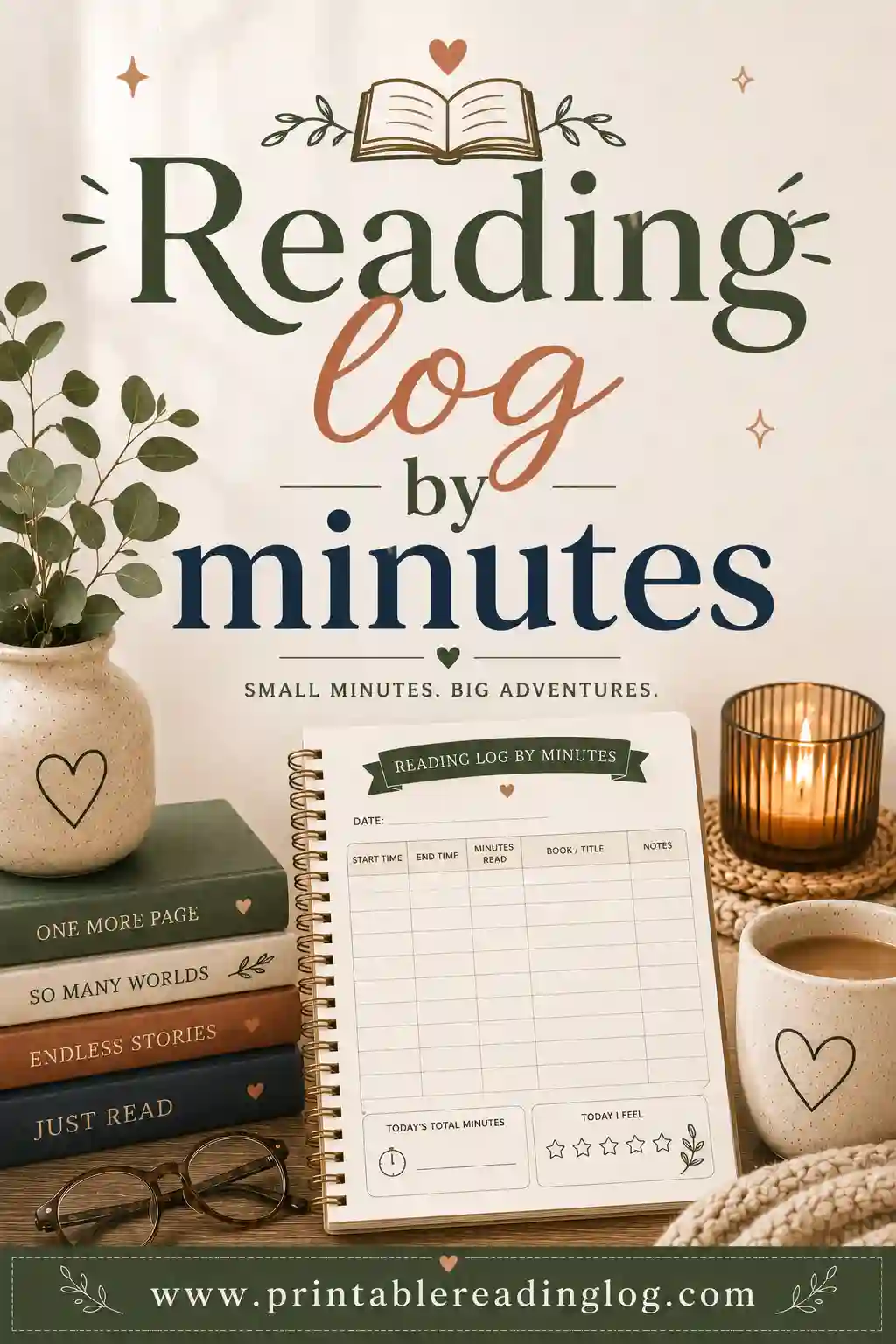
If you want a minutes-first layout to start from, the reading log by minutes page explains how a time-based log works and why it's often fairer for mixed formats.
The format code
Keep it to one letter so it takes no time:
| Code | Format | Example entry in Notes |
|---|---|---|
| P | Print book (paper) | P |
| E | E-book on phone, tablet or e-reader | E (phone) |
| A | Audiobook | A, 1.25x speed |
| S | Serial or web fiction | S, ch. 12 to 15 |
| F | Fan fiction | F, 3 chapters |
You can stop at P, E and A if the extra codes feel like too much. The point is that after a couple of weeks, the log tells a clear story, such as "mostly e-book on weekdays, print on weekends," without anyone having to guess.
How to Make It in the Free Tool (Exact Settings)
The free tool on the homepage builds a clean, print-ready log in a couple of minutes. It doesn't open pre-filled from a link, so here are the exact choices to make once you open the reading log maker.
- Start with a preset: High school. This gives you a teen-appropriate layout without cartoon art. If your teen is in middle school, High school still works well; it simply looks more grown-up, which many 12 and 13 year olds prefer.
- Reader name. Type your teen's first name, or let them type it. Ownership matters at this age.
- Reading goal. Use the teacher's number if there is one (for example, 20 minutes a day or 600 minutes a month). If not, agree on one together. More on picking a goal below.
- Log style: Adult-clean. Teens usually find the kid-friendly style babyish. Adult-clean keeps the page plain and serious.
- What are you logging? Minutes. This is the key setting for phone reading, because minutes work the same in every format.
- Color theme. Let your teen pick. Classic is the most printer-friendly; Sky, Blush, Mint and Sunshine add a little color.
- Columns. Turn on these: Title, Author, Pages/Minutes, Date started, Date finished, Genre, Notes and Initials (P/T). Leave Star rating and Recommend? (Y/N) on if your teen likes rating books; turn them off to save space.
- Rating style. Number tends to suit teens better than Stars or Smiley, but it's a personal choice.
- Paper. Letter or A4 to match your printer. Landscape gives the Notes column more room for the format code and a short comment.
- Rows per page. For daily minutes, pick enough rows for a month of sessions. If your teen reads in two short bursts a day (bus and bedtime), add more rows.
- Goal-tracker bar. Turn it on with 25 or 50 squares. Each square can stand for one session or for 10 minutes, whichever is easier to explain.
- Books I want to read next. Worth keeping. Teens who read on phones often hop between free samples, and a short "next" list keeps them pointed at whole books.
- Month. Set the month you're starting.
- Click 🖨️ Print / Save PDF. Save a PDF so you can reprint fresh pages each month.
There isn't a separate "format" column, so the Notes column does that job. Write the letter (P, E or A) first in each Notes box, then add anything else after it.
Where the Initials (P/T) column helps
The Initials column is meant for a parent or teacher to initial a row. With phone reading, it becomes a quick trust tool. Some families initial once a week after a two-minute chat about the book, not every night. That way the teen isn't being watched each session, and the parent still has a light check in place.
If you'd like more background on the teen layout itself, the reading log for high school page explains how it's set up and how teachers tend to use it.
Setting a Fair Goal for a Phone Reader
A goal that's too high leads to padded minutes. A goal that's too low doesn't build anything. These ranges are common starting points families and teachers use, not rules.
| Situation | Starting goal | Why it works |
|---|---|---|
| Teen who rarely reads for fun | 10 to 15 minutes a day, 5 days a week | Easy to hit on a bus ride; builds the habit first |
| Teen with a class requirement | Whatever the teacher sets | Follow the assignment; add free reading on top if they want |
| Teen who already reads a lot on the phone | One finished book a month plus minutes | Shifts focus from time to completing whole books |
| Busy athlete or teen with a job | 60 to 90 minutes a week, any days | Flexible; weekend catch-up allowed |
| Summer break | 20 to 30 minutes most days | More free time; keeps reading going until school starts |
Let the teen help set it. A goal they agreed to is far more likely to be logged honestly than one handed to them. Write it in the Reading goal field so it prints at the top of the page.
Count sessions, not perfection. If your teen misses a day, the log simply has a gap. No need to "make up" minutes with a marathon session at midnight. The weekly or monthly total is what matters.
A Weekly Routine That Keeps the Log Honest
Phone reading is easiest to trust when logging is part of a simple routine rather than a nightly inspection. This one takes about five minutes a week.
Every reading session (30 seconds). When the teen finishes, they write the date, minutes and format letter. If the book is the same as yesterday, they can write a ditto mark in the Title column.
Sunday check-in (3 to 5 minutes). The parent and teen look at the week together. The teen tells you one thing that happened in the book. The parent initials the week. That's it.
End of month (5 minutes). Count total minutes, note how many books were finished, and fill in the goal-tracker squares. Look at the format mix. If it's all phone, that's fine; if your teen wants to try a paper book next month, add one to the "Books I want to read next" list.
What to say during the check-in. Keep it about the book, not the phone:
- "Who's your favorite character so far?"
- "Is it better or worse than the last one you read?"
- "Would you recommend it to a friend?"
- "What do you think happens next?"
A teen who's really reading will have an answer, even a short one. A teen who's padding the log will usually struggle, and that gives you a calm way to raise it.
If the minutes look padded
It happens. The best response is low drama:
- Name what you see, kindly. "The log says an hour a night, but you're still on chapter two. What's going on with this book?"
- Offer a way out. Often the book is boring and they're stuck. Suggest switching. A teen who drops a dull book and picks a good one will usually read more, not less.
- Adjust the goal. If the goal was too high, lower it. Honest 15-minute sessions are worth more than invented 60-minute ones.
- Change the setup, not the format. If the phone is too distracting at night, try bus or lunchtime reading instead, or a focus mode, before banning phone reading entirely.
Getting the Most Out of Reading on a Phone
The phone isn't the problem; distractions are. These small changes help teens read longer and remember more, whatever app they use.
Turn on a focus mode. Silencing notifications during reading time is the single biggest help. Many phones let you set a schedule, such as "reading" from 9 to 9:30 p.m.
Use dark mode or a warm screen at night. It's easier on the eyes in a dark room, and many teens find it more comfortable for long stretches.
Bump up the font size. Bigger text means fewer words per screen, which some readers find calmer and easier to focus on. Don't worry about the page count changing; you're logging minutes.
Use the built-in dictionary. Most e-book apps let you press on a word to see a definition. This is one area where phone reading has a real edge over paper. Encourage your teen to look up words they're unsure of, and maybe jot one interesting word in the Notes column each week.
Highlight instead of annotating on paper. If a teacher wants annotations, many apps allow highlights and notes that can be reviewed later. Ask the teacher whether a screenshot or exported notes would be acceptable.
Borrow e-books from the library. Many public libraries lend e-books through an app, usually with just a library card. That means your teen can try books without anyone buying them. Ask your local library how their digital lending works, including how long loans last and how holds work.
Give the book a front-row spot. Put the e-book app where a social app used to sit on the first home screen. It's a small nudge, but it makes the book the first thing the thumb finds.
Use the "time left in chapter" feature. Many apps estimate how long a chapter will take. Teens who don't love reading often find "8 minutes left" far more motivating than "23 pages left," and it pairs nicely with a minutes-based log.
Real Situations and What to Do
Every family's version of this is a little different. Here are the most common ones and a practical way through each.
"My teen only reads on the phone, and the teacher wants page numbers." Ask the teacher if chapters or percent complete are acceptable. If pages are a must, check whether the e-book app can show print-edition page numbers. If it can't, log minutes in the Pages/Minutes column and write the chapter range in Notes. Most teachers are flexible once they see the log is consistent.
"The teacher says phone reading doesn't count." Respect it for that class. Ask whether a tablet or e-reader would be acceptable, since some teachers are mainly worried about the phone's distractions. If the answer is still no, keep a print book for class minutes and let phone reading count on a separate home log. Your teen still gets the habit; the class gets its rules.
"My teen reads in tiny bursts all day." Five minutes on the bus, ten at lunch, fifteen before bed. That's real reading. Instead of a row for each burst, have your teen add up the day and log one row with the total. The goal-tracker squares can count 10-minute blocks so short sessions still fill in squares.
"My teen reads fan fiction for hours but won't touch a novel." That's a reader. Log the fan fiction honestly (F in Notes) and use the "Books I want to read next" box for one published book a month in a similar genre. Many teens drift toward novels on their own once they see the connection between the stories they love and books on the shelf.
"My teen has an e-reader and a phone." Both get an E. If you'd like to see the difference, write E (phone) or E (e-reader) in Notes. Some families find their teen reads longer on a dedicated e-reader because there's nothing else on it, which is useful to know when you're thinking about bedtime routines.
"My teen listens to audiobooks on the phone during practice drives." Log it with an A and check how the teacher wants it counted. Listening while doing something else, such as riding in the car or walking the dog, is a great way to add books. If the teacher counts only eye reading, keep audio on its own line so it isn't mixed in.
"My teen reads graphic novels and manga on the phone." These are books, and many are rich in vocabulary and story. Log them like any other title. If a teacher wants a balance, they'll usually say so, for example "at least one text-heavy novel per quarter."
"My teen has a learning difference and finds paper hard." Many readers who find print tiring do better with adjustable fonts, spacing and text-to-speech on a screen. Follow the guidance of your teen's teacher, learning specialist or support plan, and share the log with them. The format code helps everyone see what's working. The reading log for special education page has more ideas for flexible logging.
"We're doing a screen-free month, and my teen reads on the phone." Decide up front whether e-book reading is an exception. Some families count it as allowed reading time; others switch to paper for the challenge. Either works, as long as everyone agrees before the month starts.
Notes for Teachers
If you're a teacher deciding how to handle students who read mostly on phones, a few small choices make the log fair for everyone.
State the format rule in the log instructions. A line like "Any format counts: print, e-book or audio. Write P, E or A in Notes" saves you dozens of individual questions.
Prefer minutes or chapters over pages. Pages vary wildly between devices and font sizes. Minutes are equal across formats, and chapters are equal across editions.
Separate free reading from assigned reading. If you need the class novel annotated on paper, say so for that book only. Students can still use phones for free-choice minutes.
Use the Initials (P/T) column weekly, not nightly. A weekly parent or teacher initial is easier to keep up with and less likely to be forged at the last minute.
Ask about the book, not the screen. A one-sentence summary or a quick conference does more to confirm real reading than any rule about format.
Think about access. Some students may not have a quiet place or a print book at home, but they do have a phone. Counting e-book reading can make the log more achievable for those students. School and public library e-book lending can help fill the gap.
If you're setting up logs for a whole class, the guide to reading log tips for teachers covers routines that work across grade levels.
A Sample Filled-In Week
Here's what a realistic week might look like for a teen who reads mostly on a phone. Use it as a model when you explain the log to your teen.
| Date | Title | Minutes | Notes | Initials |
|---|---|---|---|---|
| Mon | Novel, chapter 3 to 5 | 25 | E, bus and bedtime | |
| Tue | Same novel | 20 | E, lunch | |
| Wed | Same novel | 30 | P, borrowed print copy from library | |
| Thu | Audiobook (different title) | 15 | A, drive to practice | |
| Fri | Novel, finished | 25 | E, finished. 4 out of 5 | |
| Sat | Short story collection | 20 | E, library e-book | |
| Sun | Weekly check-in | 0 | Talked about the ending | Parent initials |
Weekly total: 135 minutes. Format mix: mostly E, one P, one A. Books finished: one. That's a strong, honest week, and anyone reading the log can see exactly what happened.
Notice what the Notes column does here. It shows the format, where the reading happened, and a tiny reflection. That's enough for a parent or teacher to trust the minutes without a long conversation.
Common Mistakes to Avoid
Banning phone reading to "fix" screen time. Taking away the one place a teen reads often means they read less overall. If screen time is a concern, set limits on other apps first.
Mixing scrolling into reading minutes. Agree on what counts before the first week. The table near the top of this guide is a good starting point to print and discuss.
Logging pages from a reflowing e-book. It leads to confusing numbers. Stick to minutes, chapters or percent.
Checking every night. Nightly inspection feels like surveillance to most teens and tends to make logs less honest, not more. A weekly chat works better.
Setting a goal no one agreed to. Teens are much more likely to fill in a log they helped design. Let them pick the color theme, the goal and whether to rate books.
Forgetting the "next book." Phone readers can bounce between samples and never commit. Two or three titles on the "Books I want to read next" list keeps momentum going.
Ignoring the mix entirely. You don't need to push paper, but looking at the format codes once a month is useful. If reading drops when the phone is taken away for a weekend, that tells you something about where your teen's reading lives.
Ready to Print Your Teen's Log
Phone reading counts. The trick is to make it visible. A minutes-based log with a one-letter format code turns "Is that really reading?" into a clear record that a teen, a parent and a teacher can all trust.
Open the free reading log maker, choose the High school preset, set Log style to Adult-clean, log Minutes, turn on the Notes and Initials (P/T) columns, and print a month's worth of pages. Clip one inside a folder by the charger, and your teen's next 20 minutes on the bus can go straight onto the log.
▶ Open this reading log ready to print
Frequently Asked Questions
Does reading ebooks on a phone count in a reading log?
Yes, in almost every case. An e-book has the same text as the print edition, so reading it on a phone is real reading. If the log is for a class, check the teacher's rules, but most teachers accept any format for free-choice reading.
How do I prove my teen was really reading on the phone?
You don't need proof so much as a routine. Ask about the book once a week, look at whether the story is moving forward, and initial the week together. A short, friendly chat about characters or plot shows real reading far better than checking the phone.
Should we log pages or minutes for e-books?
Minutes are usually easier, because many e-book apps change the page count when you change the font size. If a teacher needs pages, log chapters or percent complete in the Notes column, or use the app's print-edition page numbers if it offers them.
Do audiobooks count as reading for teens?
Listening builds vocabulary and comprehension, and many families count it. For a school log, ask the teacher. Logging audiobooks with an A in the Notes column keeps them visible so the teacher can count them however they choose.
Does fan fiction or web fiction count?
For a home log, longer works often count, since they're sustained stories read in order. For a school log, it's up to the teacher. Either way, label it honestly in the Notes column rather than logging it as a published novel.
Is e-book reading screen time?
That's a household choice. Some families count e-book reading as reading time and keep it separate from screen limits; others include it. Agree on a rule before you start so the log and the screen-time plan don't contradict each other.
What's the best log setup for a teen who reads on a phone?
Use the High school preset in the free tool, choose Adult-clean, log Minutes, and turn on Title, Author, Pages/Minutes, Notes and Initials (P/T). Write a P, E or A at the start of each Notes box so the format mix is visible at a glance.
My teen reads at night on the phone and then scrolls. What helps?
Try a focus or do-not-disturb mode during reading time, a warm or dark screen, and an agreement that the phone goes on the charger when reading time ends. If it still drifts, switching bedtime reading to a paper book or a dedicated e-reader often helps.
How much should a teenager read each day?
There's no single right number. Many families and teachers start with 15 to 30 minutes a day or a set number of minutes per week. A goal your teen agrees to and can meet honestly is better than a high goal that leads to padded minutes.